Question

Change Default

  • December 8, 2025
  • 2 replies
  • 13 views

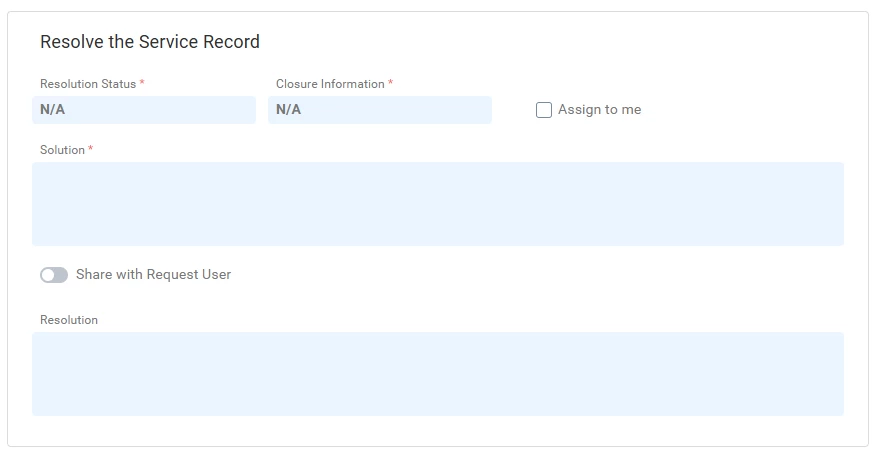
Can the default value be changed for the Resolve Service Record?  Would like to change the N/A to one of the lists options. Trying to limit the number of clicks to close a ticket. 


2 replies

SysAid Copilot
SysAider
Forum|alt.badge.img+4
Hi there,

SysAid Copilot is here with our AI Magic!
Here is the response we thought might assist you:

copilot-1.png
You can’t replace the built‑in **“N/A”** itself, but you can effectively bypass it so techs almost never have to change it when closing.

There are two main options, depending on what you want:

---

### 1. Pre‑select a Resolution via Template (most common)

If your tickets are created from a template (email rule, category template, portal template, etc.), set the **Resolution** field’s default there:

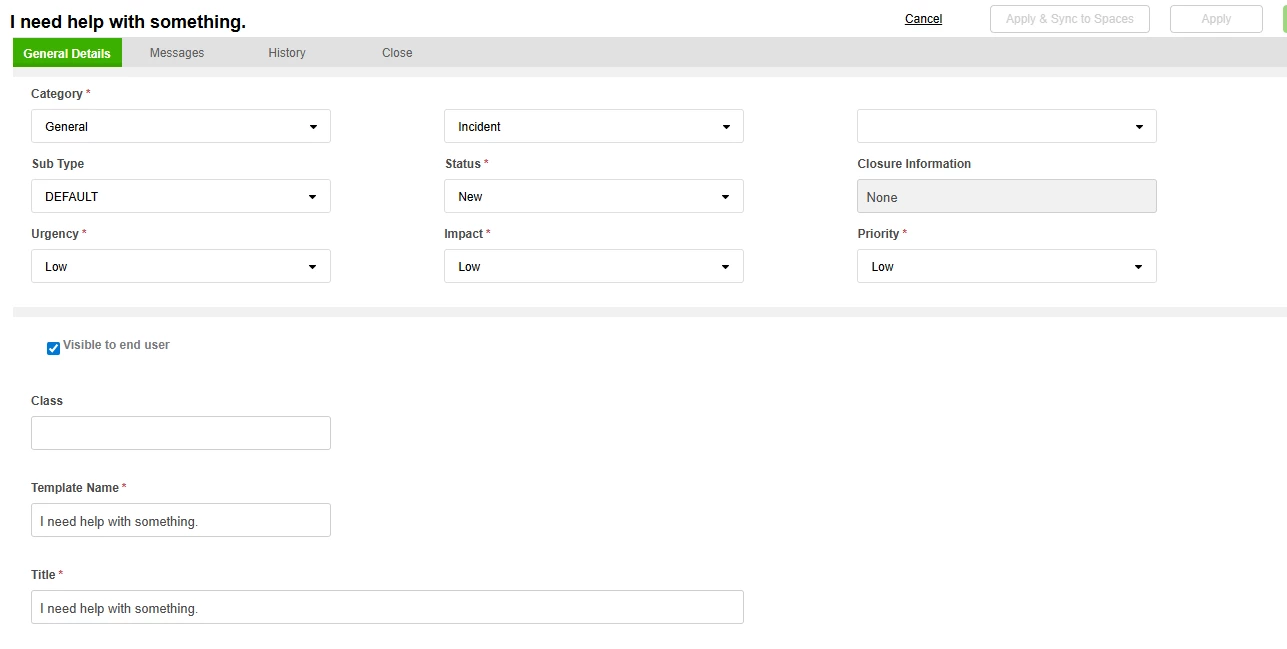
1. Go to **Settings > Service Desk > Templates**.
2. Open the **template** used for new SRs (incident/request).
3. In the template form, set the **Resolution** field to the value you want instead of N/A.
4. Click **Apply** on the template.

Any ticket created from that template will already have that resolution selected when you go to close it.

---

### 2. Make “N/A” Unused and Force a Real Option

If you want to prevent N/A from being used at all:

1. Go to **Settings > Customize > Lists**.
2. Find and open the **Resolution** list.
3. Either:
- Rename **N/A** to a meaningful default value, or
- Mark N/A as **Inactive** (if you don’t want it selectable).
4. Save.

Then adjust any templates/workflows that still reference N/A so they use your preferred resolution instead.

---

If you tell me your exact flow (portal vs email vs manually created by admins), I can give click‑by‑click steps for where to set the default in your environment.

  • Author
  • New SysMate
  • December 8, 2025

I do not have this option...”Resolution” does not exist. 

3. In the template form, set the **Resolution** field to the value you want instead of N/A.


I only have one template for Incidents for user to submit through the portal.