Question

“srSubType” values

  • August 21, 2025
  • 5 replies
  • 31 views

https://developers.sysaid.com/reference/createservicerecord asks for a numeric value for “srSubType”.  Where do I find a list of values in Sysaid?

5 replies

SysAid Copilot
SysAider
Forum|alt.badge.img+4
Hi there,

SysAid Copilot is here with our AI Magic!
Here is the response we thought might assist you:

copilot-1.png
You define and see srSubType values in your own account. Two quick ways:

1) In the UI
- Go to Settings > Service Desk Templates > Sub-types.
- Select the Service Record Type (Incident/Request/Problem/Change).
- The list shows each sub type and its ID (that numeric ID is what you pass as srSubType).

2) Via API
- Call GET /api/v1/subtypes?srType={1|10|6|4}
- Each item returns its id and name. Use the id as srSubType in Create Service Record.

Notes:
- IDs are account-specific and auto-assigned; there’s no global list.
- srType values: 1=Incident, 10=Request, 6=Problem, 4=Change.

  • Author
  • Community Enthusiast
  • August 21, 2025

I get a 404 via API call to /api/v1/subtypes?srType=10


Forum|alt.badge.img
  • SysAider
  • August 25, 2025

@thomas.walker Hope you are well. 

Can you share more information about the end goal? The initial post was about creating a service record, but based on your comment, it seems you’re trying to get a list of request subtypes


  • Author
  • Community Enthusiast
  • August 25, 2025

srType is a required value when creating a request.  Thus the trip down the road to discover what the values for srType are.


Forum|alt.badge.img
  • SysAider
  • August 26, 2025

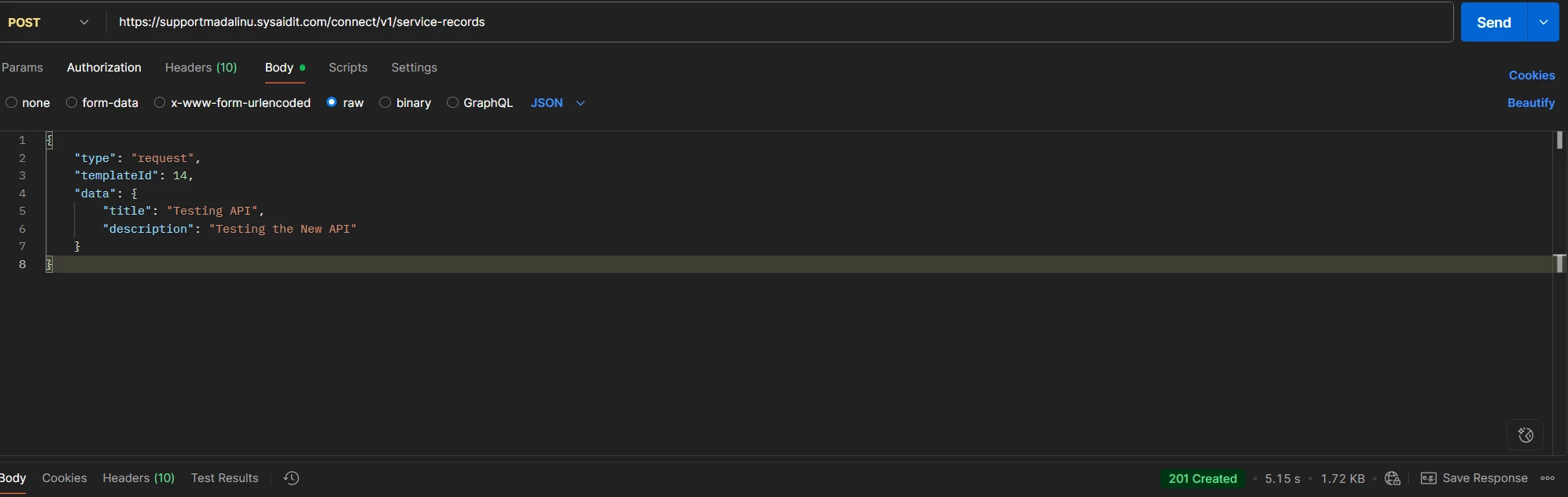
@thomas.walker It’s only required if it’s set as required on the template that you plan on using when creating the service record. 


Just did a test using a template that doesn’t have the field as mandatory and a ticket was successfully created. Do you mind sharing a copy of the call that you used to generate the ticket? If needed, I will open a ticket with our CC team to help with this.